
Case study · Website customer service
Redita
The AI assistant Alpha Impact built and uses on its own website. It answers with the information the company wrote, collects requests and hands the conversation to the team when needed.
- Product
- AI assistant for websites, built by Alpha Impact
- Where it runs
- On alphaimpact.pt, on desktop and mobile
- Who uses it
- Website visitors, and the team in a back office
- What we did
- Design, development and hosting


The challenge
The same questions every day, many after hours.
An SME's website gets the same questions every day, and many arrive after hours. Generic assistants answer quickly, but they make things up when they do not know and never tell the team who was left without an answer.
- Repeated questions
- How much it costs, what it includes, whether it works with the software the company already uses, how to book a call.
- After hours
- Many arrive at night or at the weekend and sit in a form waiting for an answer.
- Visitors who give up
- Some leave the website before getting an answer, and the team never finds out.
- Assistants that make things up
- Generic ones answer quickly, but they make things up when they do not know and never tell the team who was left without an answer.
How it works
From the question on the website to the request with the team.
The visitor talks to the assistant on the website. The team sees everything in a back office and joins the conversation when needed.
-
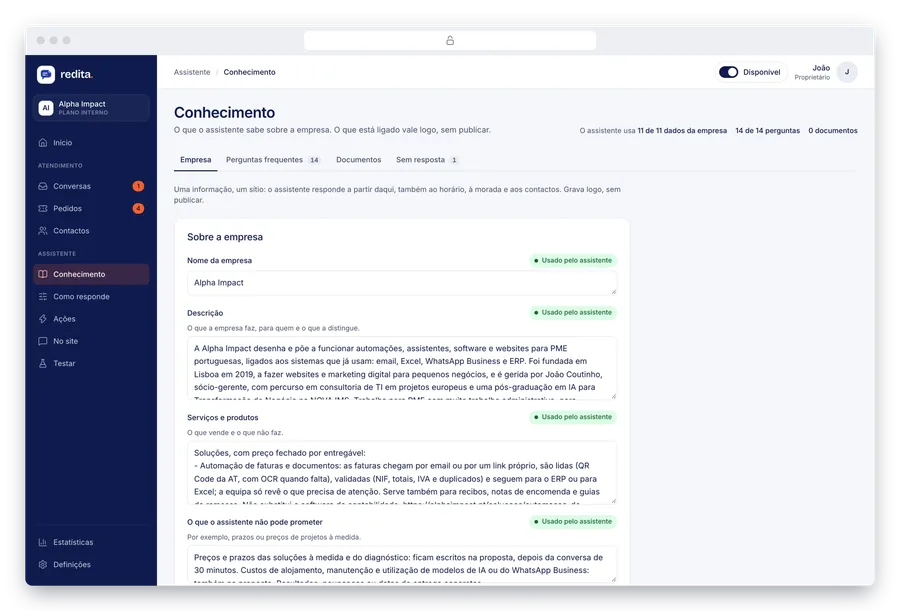
The company writes down what it knows
Company details, opening hours, prices and frequently asked questions sit in one place. Each item shows whether the assistant is using it, and what is missing appears on Home.
-
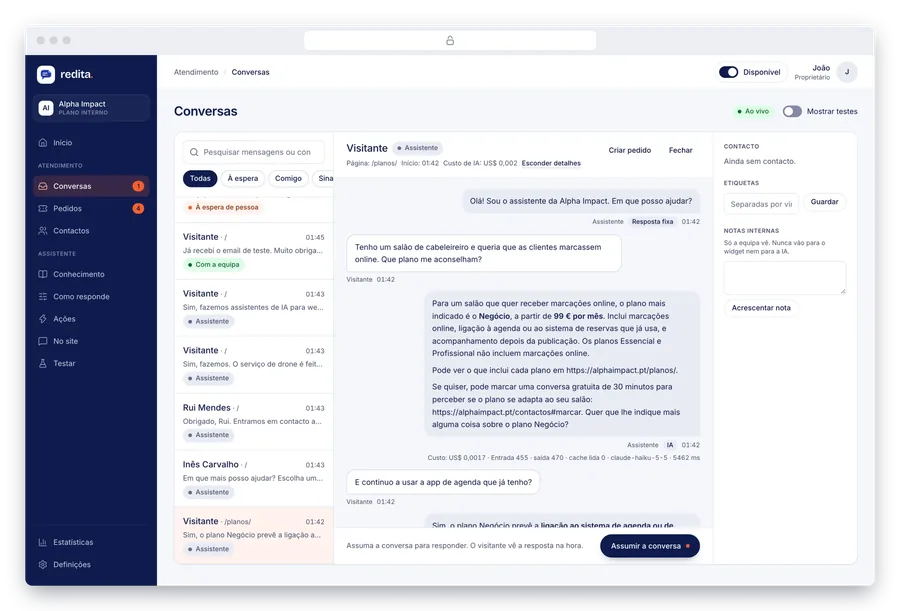
The assistant answers on the website
In seconds, in European Portuguese, with links to the right pages. In the conversation, the team sees why it answered that way: what it used, what it cost and how long it took.
-
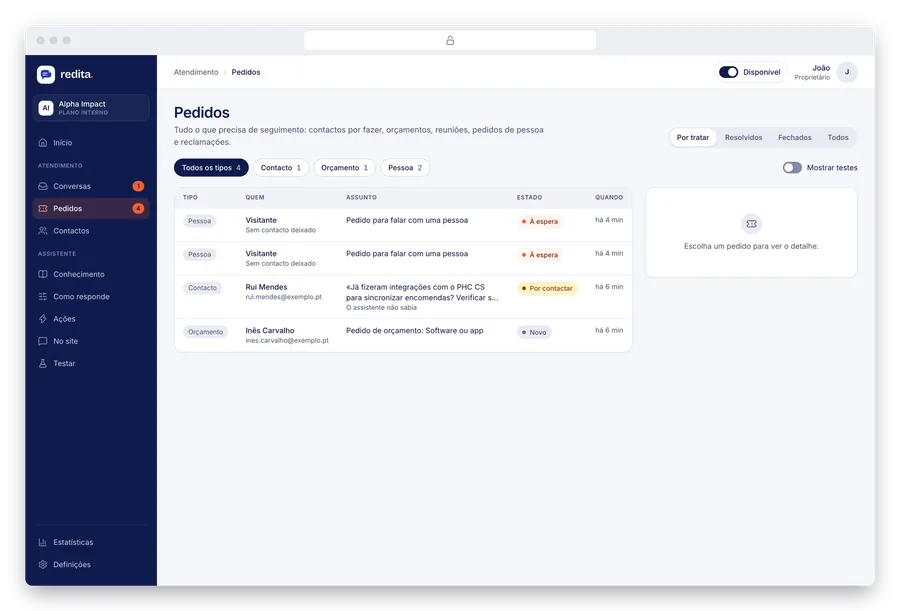
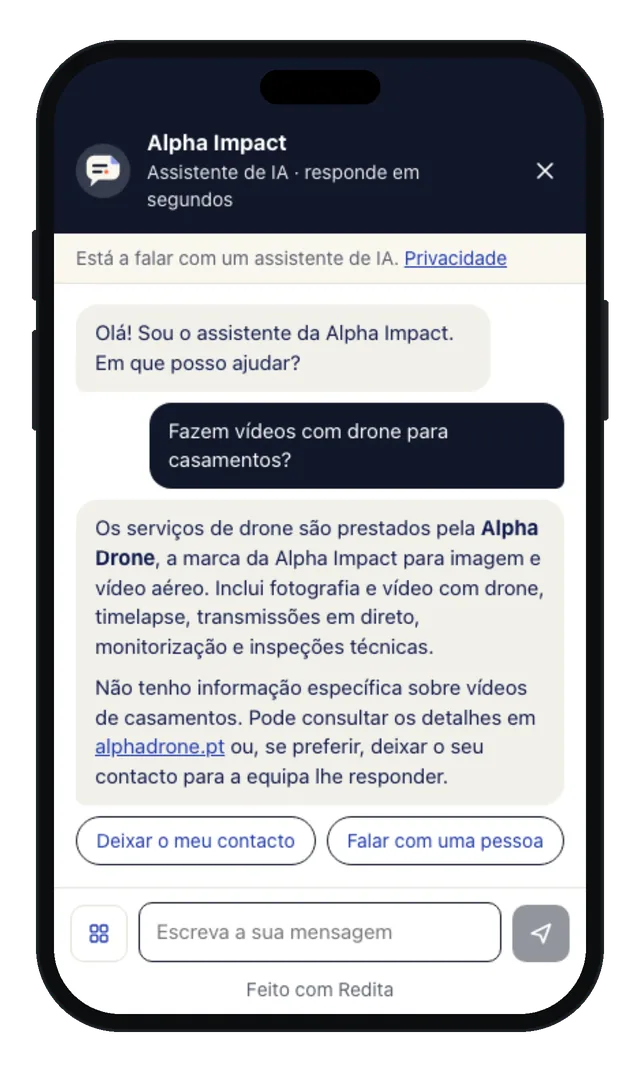
When it does not know, it does not make things up
It says it does not have that information and offers two ways forward. The contact reaches the team as a request to follow up, with the original question, and the question goes on the list of things to teach the assistant.
- Leave my contact details
- Talk to a person
-
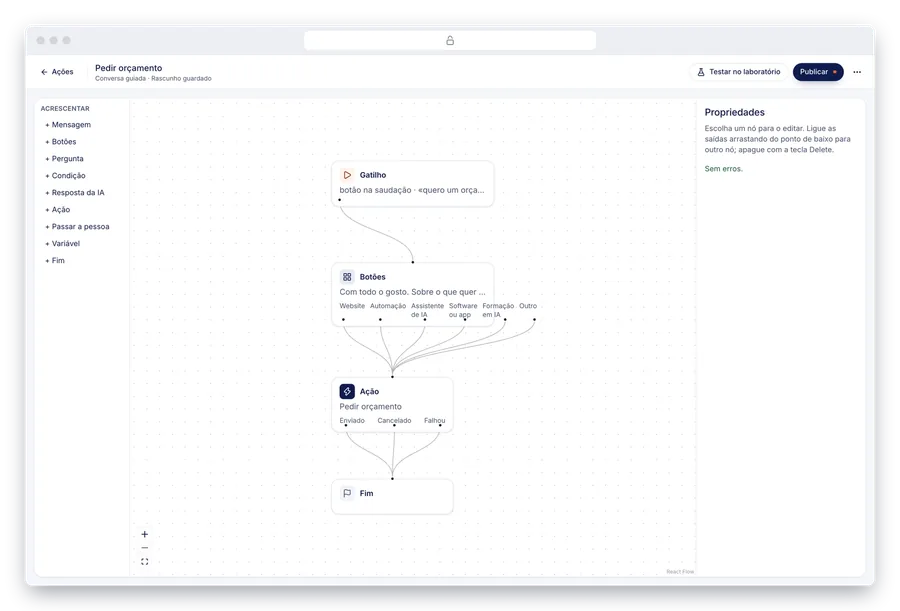
Guided conversations for quotes and bookings
Asking for a quote follows set steps: subject, contact details, budget, deadline and consent. Booking a call opens the website's calendar. The team designs each conversation in a visual editor.
-
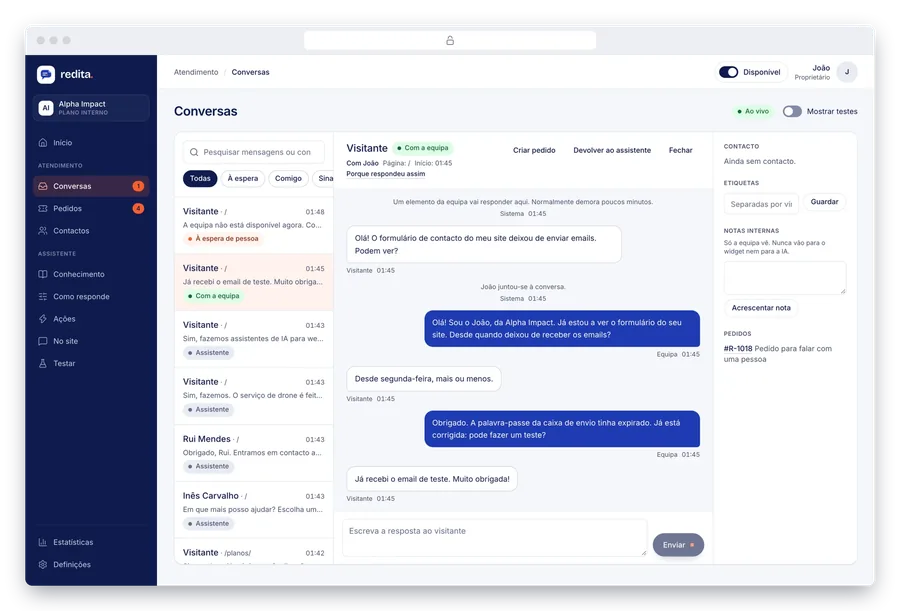
The team joins the conversation
Whoever is available takes over the live conversation, and the visitor sees who is answering. On the team's side, the customer is on the left and the replies on the right, as in a help desk.
-
Test before changing
In the lab, the team talks to the assistant as a visitor would and sees each step of the answer. Changes in behaviour only reach the website once they are published.
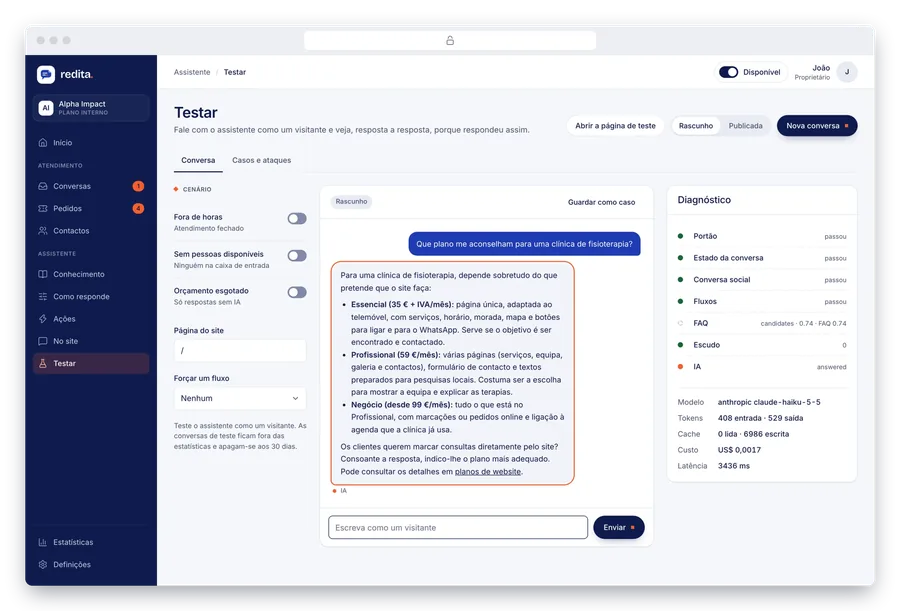


Screens with demo data: the visitors, contacts and conversations are fictitious. The answers are from the Alpha Impact assistant.
The back office
The team sees on one screen what needs its attention.

- Home
- Who is waiting, the contacts to follow up, new quotes and what is missing before going public.
- Conversations
- Live conversations and history, with who answered: the assistant or the team.
- Requests
- Contacts to follow up, quotes and requests to talk to a person, each with its status.
- Knowledge
- Company details, opening hours, prices, frequently asked questions and documents.
- Statistics
- What visitors ask and how conversations end.
- Privacy
- Explicit consent in forms, retention periods and requests to access or erase data.
The assistant's rule
It answers only with what the company wrote.
Every answer starts from the details, frequently asked questions and documents the team wrote. Frequently asked questions have a fixed answer, with no AI cost, and every answer is corrected into European Portuguese.
When it does not know, it says so. It offers to take contact details or put the visitor through to a person, and the question reaches the team so it gets an answer from then on.
Technology
Light on the website, protected behind it.
- Widget
- Light and isolated from the website, with a notice that you are talking to an AI and a link to the privacy policy.
- AI
- Anthropic's Claude models, answering only from the company's knowledge.
- Safeguards
- Against manipulation attempts, tested with simulated attacks.
- Hosting
- Node.js, React and MySQL on a dedicated server with Docker and HTTPS, with backups.
Result
The website answers the usual questions at any hour, with the information the company itself wrote. What the assistant does not know reaches the team with the question and the contact details, and then gets an answer.